
Amazon product boxes and comparison tables for WordPress
Free to start, with no Amazon API credentials needed yet. Drop a product box into a review or line up the contenders in a comparison table, and every link carries your Associate tag.
For WordPress sites that earn with Amazon Associates
The real thing, running on this page
Every demo here uses sample products. Switch tabs, layouts and styles to see what your readers would see.
One product in its own box, right where it fits in a review. It shows the photo, title and star rating, with feature bullets in the card and horizontal layouts.
A sample product, shown in each box layout and style. Editorial and Spotlight are Premium styles. On your site the box shows the product you picked, with your Associate ID on the link.
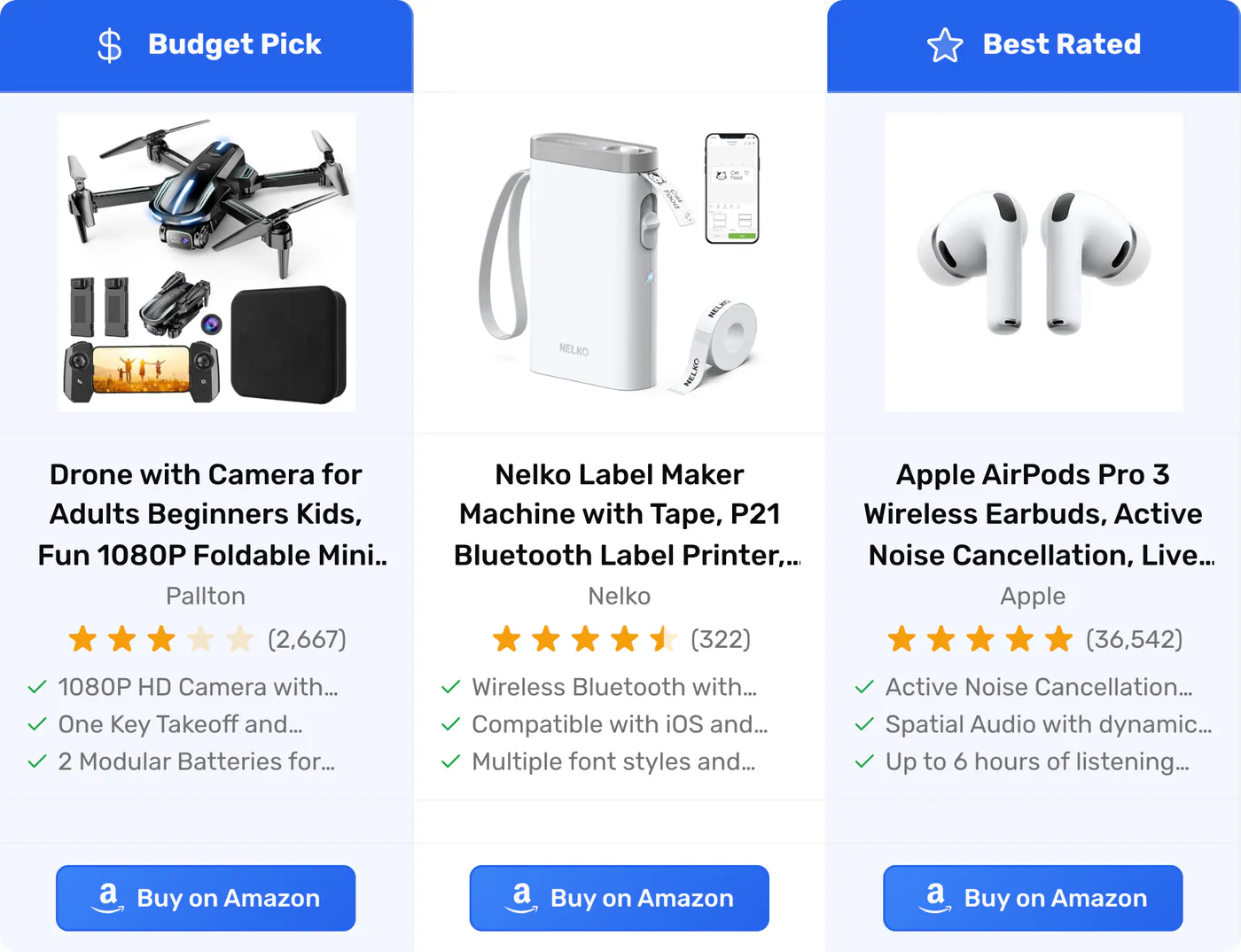
For "X vs Y" and best-of posts. Each product gets a column with its image, title, rating, features and a button, so readers compare without leaving your page.
Sample products in three table layouts. The horizontal layout is free; Premium adds the vertical layout and table sizes. On your site every link carries your Associate ID.
One shortcode shows the top sellers or new releases for a category, numbered 1, 2, 3. Put it in a best-of post and the list keeps itself current.
This list uses sample products. On your site the list shows the top sellers or new releases for your category and refreshes at least once a day. Lists are part of Premium.
Your first box in 3 steps
- Install it In wp-admin, go to Plugins > Add New and look for "Paapi". That's the plugin's name on WordPress.org.
- Connect to Amazon Start with our Managed API. It returns live Amazon product data before you set up Amazon API credentials of your own. Or connect your own Creators API credentials.
-
Build the box
Find a product by keyword, Amazon link or ASIN, check the live preview and create a draft post with the box in it. Or put
[psfa_product_box asin="..."]in a review, or[psfa_comparison id="..."]in a buying guide.
You'll need a free Amazon Associates account, so commissions are tagged to you.
What plain links miss
- A text link is easy to skim past
- Halfway down a long review, your pick is a few blue words in a paragraph. The reader can't see what it is until they click.A product box shows the photo, title, star rating and features in the post, with a button that carries your tag.
- Readers compare in Amazon tabs
- Your buying guide covers five products in five sections, so readers open five Amazon tabs to compare them and make the call over there.A comparison table lines them up side by side in your post, with a button for each one.
- Your reader wanted a different one
- You reviewed one blender. They wanted the cheaper model, so they went to Amazon and bought it there, without your link.And your visitors can search Amazon too. Add the search box to a post and they find it on your page, with your tag on the click.
What it doesn't do
On the Managed API, boxes and tables don't show a price. The button sends your reader to Amazon, which shows the current price. Connect your own Creators API credentials and prices show on every plan. The free plan also has a daily and a monthly limit on Managed API lookups.
Before you install
Is this allowed by Amazon?
PaapiPlugin is third-party software. It isn't made by, affiliated with, or endorsed by Amazon. Every product link carries your own Associate tag, and you stay responsible for following the Amazon Associates Program rules on your site, the same as with any plugin.
Does it work with my theme and the block editor?
Yes. Boxes and tables are shortcodes, so they work in any theme. In the block editor, paste the shortcode into a Shortcode block. In the classic editor, paste it straight into the post.
Is free really free?
Yes. The free plugin on WordPress.org is the real plugin, not a trial. Product boxes and comparison tables are built in, and they run on our Managed API with no Amazon API credentials needed yet. The free plan has a daily and a monthly lookup limit, listed on the pricing page.
Why don't Managed API boxes show prices?
On the Managed API, the button sends your reader to Amazon, which shows the current price when they click. If you connect your own Creators API credentials, boxes and tables show prices on every plan.
What does Premium add?
Full styling for boxes and tables, the Editorial and Spotlight box styles, winner badges like Best Value or Editor's Choice, the vertical table layout and table sizes, the Analytics dashboard, and a higher Managed API limit. With your own Amazon credentials it also adds deal badges and countdown timers.
What happens if I cancel?
Premium renews once a year, and you can cancel anytime. The free plugin stays free on WordPress.org. Premium comes with a 14-day money-back guarantee. Not happy within 14 days of purchase? Email us and we refund in full.
Free to start
Install the free plugin and put boxes and tables in your posts today. Premium is there when you want more styling, badges, Analytics, auto-updating lists, geotargeting and settings import and export.
On WordPress.org
Free
No credit card, no Amazon API credentials needed yet
- Product boxes in card, horizontal and minimal layouts
- Comparison tables in the horizontal layout
- Star ratings and feature bullets
- Runs on our Managed API, or your own Creators API credentials
- Your Associate tag on every link
When you want more
Premium
Renews yearly, cancel anytime
- Everything in Free
- Full styling for boxes and tables
- Editorial and Spotlight product box styles
- Winner badges
- Vertical table layout and table sizes
- Analytics dashboard
- Auto-updating top seller and new release lists
- Geotargeting
- Settings import and export
- A higher Managed API limit
- Deal badges and countdown timers (with your own Amazon credentials)
14-day money-back guarantee
Do you offer refunds?
Not happy within 14 days of purchase? Email us and we refund in full.
Put a product box in your next review
- Plugins > Add New, then look for "Paapi".
- Start with Managed API, or connect your own Creators API credentials.
- Paste a box or table shortcode into the post.